Step to order completion
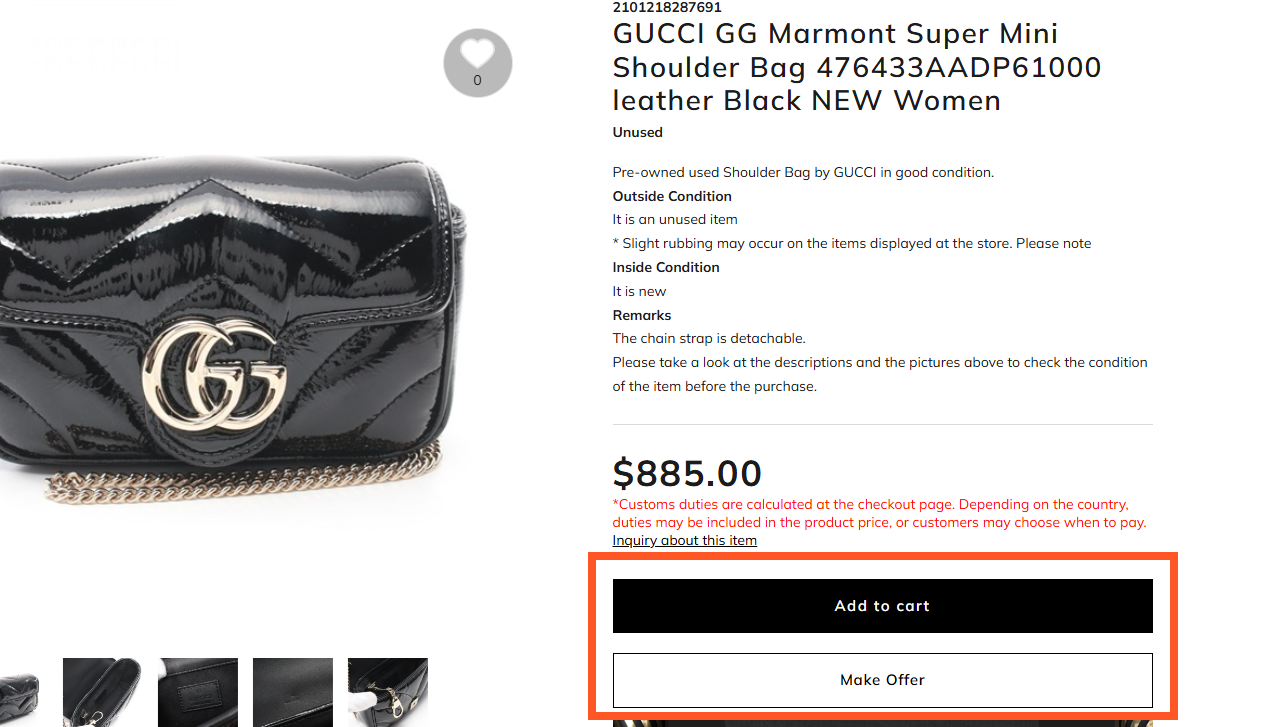
1. Add to cart or Make Offer
AAdd to cart
Click to open the product detail page of the item you want. After confirming your item, click on the “Add to cart” button
BMake Offer
For more information about the Buyer Offer, please clickhere
2. Confirm your order
AContinue with purchase
For purchases, please click "Continue with purchase".
If you wish to use coupons, please input the coupon code or selected coupon from pull-down menu. (*A coupon will be displayed only if it can be applied.)
BBack to shopping
If you wish to purchase other items along with what you have ordered, click on the "Back to shopping" button or on the navigation bar at the top of the screen, and continue your shopping.
4. Enter Payment/Destination
About Payment
Please choose the payment method. For types of Payment Method and details please see “Payment Methods”.
Delivery Destination
Please fill in the ”Billing Address”. (If you are registered as a member, the registered address will be automatically filled in.) If you want to ship the product to the same address as the "Billing Address", please select Default (same as billing address) under the "Delivery Address". Shipping to an address other than the member's is also possible. In that case, please select Add an alternative delivery address. Enter your desired delivery destination in the input field. For information on the number of days required for delivery, please see below "About Delivery and Shipping".
5. Confirmation of your order
Please confirm your order.
Complete Order
When your order has been completed, Complete Order page will be displayed. You will then received a confirmation email from "Brand Off Online Store". Please keep the email till your ordered item arrives.
* If you do not receive the confirmation email, please contact us via the inquiry form.